The Privacy Crisis in Online Image Tools — and Why It Matters in 2026
Every day, millions of people upload personal photos, business documents, medical scans, and sensitive screenshots to online image conversion and compression tools. Most do this without a second thought — after all, the tools are free, fast, and convenient. But there’s a quiet, invisible cost that most users never consider: where does that image actually go, and who can see it?
The answer is often uncomfortable. Major cloud-based image tools routinely cache uploaded files on their servers, retain them for analytics pipelines, or share them with third-party advertising networks under the guise of “service improvement.” Some tools include this in fine print buried in terms-of-service documents that virtually no one reads. Others simply don’t disclose it at all. A 2024 study by the Electronic Frontier Foundation found that the majority of free online image tools studied transmitted uploaded files to at least one third-party analytics service — often without meaningful user consent.
The stakes are higher than most people realize. A casual photo conversion might seem harmless, but what about that screenshot of your bank statement you compressed before sending to an accountant? The scan of your passport you used to verify an account? The medical imaging report your doctor asked you to share with a specialist? These aren’t hypothetical edge cases — they’re the exact kinds of files people process online every day. And once those files are on someone else’s server, you have no control over what happens to them.
This isn’t a paranoid scenario. Data breaches involving cloud storage are regularly reported, with thousands of organizations affected each year. Even more commonly, data gets retained indefinitely for purposes users never consented to — then gets caught up in a company acquisition, a legal subpoena, or a regulatory audit. The solution isn’t to be more careful about which cloud tool you choose. The solution is to change the architecture entirely: process images locally, in your browser, where the file never leaves your device at all.
Understanding What Happens When You Upload an Image to the Cloud
To appreciate why local processing is such a meaningful shift, you first need to understand what the typical cloud-based image tool actually does with your file. When you upload an image to a cloud service, several things happen in sequence — most of them invisible to you.
First, your image is transmitted over HTTPS to the service’s servers. While HTTPS encrypts the transmission (protecting against man-in-the-middle attacks on public Wi-Fi), it doesn’t prevent the receiving server from reading and storing the file. The data is encrypted in transit, but it arrives unencrypted at the destination. Second, the server processes your image — converting formats, compressing, resizing, whatever the service does. During this time, the file exists in the server’s memory and potentially on its disk. Third, the processed file is transmitted back to you over HTTPS.
Here’s what many users don’t realize: the cloud service might also retain a copy of your file. Depending on the service, this retention might be for minutes, days, months, or indefinitely. Some services use uploaded images as training data for machine learning models. Others share anonymized metadata with advertising platforms. Many include clauses in their terms of service that effectively grant the company broad rights to use uploaded content. When Adobe’s Firefly AI faced criticism over training data practices, it illustrated just how easily uploaded files can find their way into model training pipelines — often without the users who uploaded them having any idea.
The legal framework compounds the problem. In the United States, the Stored Communications Act allows government agencies to request user data from service providers with varying levels of legal process. In the European Union, GDPR provides stronger protections, but enforcement is inconsistent and cross-border data transfers create loopholes. In many other countries, users have even fewer legal protections. If your image is on someone else’s server in an unfamiliar jurisdiction, you’re subject to that jurisdiction’s legal framework — not yours.
How Browser-Based Local Processing Actually Works — A Technical Deep Dive
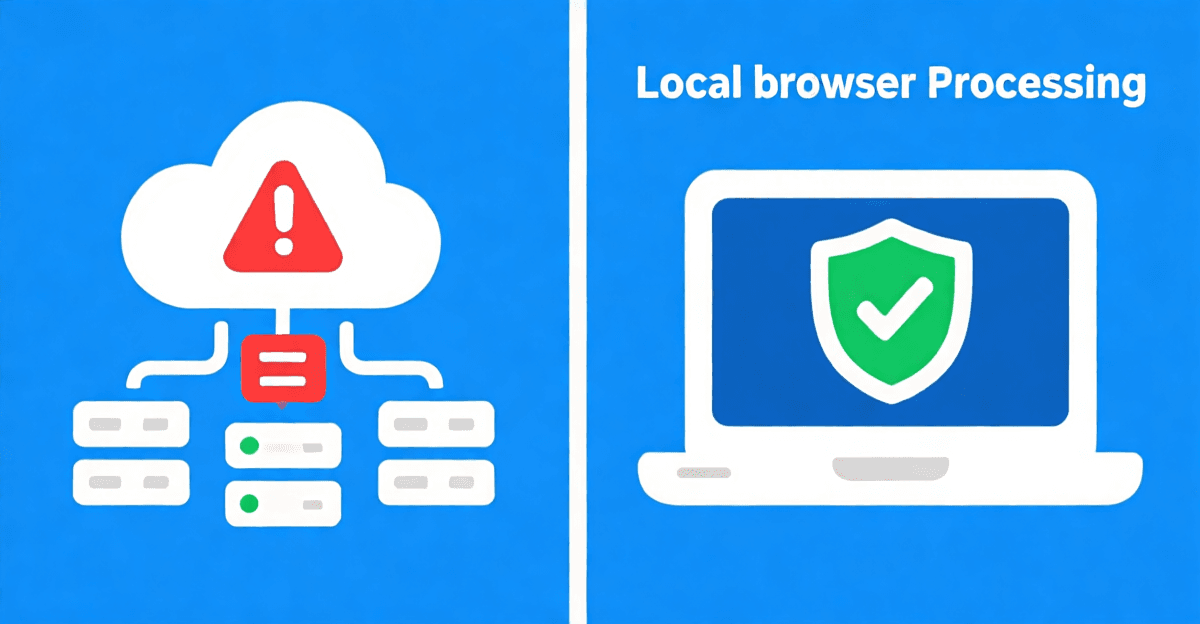
When you process an image locally in your browser, the entire operation happens within your device’s memory. No file is ever transmitted to an external server. The technology that makes this possible combines several web platform features that have matured significantly over the past decade.
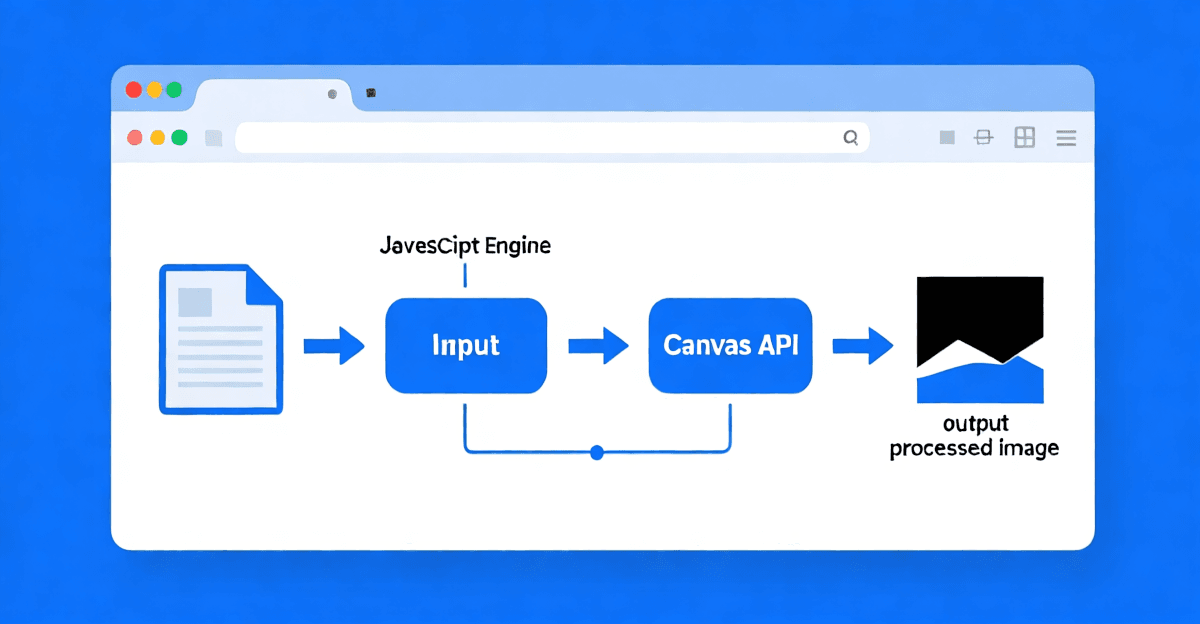
The core of local image processing is the HTML5 Canvas API. When you load an image into a canvas element, the browser decodes the image data into raw pixel information that JavaScript can read and manipulate directly. From there, JavaScript can perform any transformation — format conversion, compression, resizing, color adjustments — using the canvas API’s built-in drawing and encoding capabilities. For format conversion specifically, modern browsers support encoding to JPEG, PNG, WEBP, and increasingly AVIF, all through the canvas toBlob() method.
The FileReader API is what allows the browser to read a file from your device without uploading it anywhere. When you drag-and-drop an image or select it through an input element, the FileReader reads the file into a JavaScript ArrayBuffer in your device’s memory. From the browser’s perspective, this file is just another piece of data in memory — it has no “outside world” connection. The browser’s same-origin policy enforces strict isolation: code running on your page can only access resources from the same origin, preventing any JavaScript on the page from secretly sending your data elsewhere.
To verify this in practice, open your browser’s developer tools (press F12 or Cmd+Option+I), go to the Network tab, and process an image. You will see exactly zero outbound requests containing your image data. This is not a promise from the tool developer — it’s a built-in property of how web browsers work. The browser simply doesn’t have a mechanism for sending your file data to remote servers unless explicit network requests are made, and local processing requires no such requests.
Real-World Use Cases: Who Benefits Most from Local Image Processing?
The privacy advantage of local processing isn’t theoretical — it maps directly to concrete, high-stakes scenarios that millions of people encounter regularly.
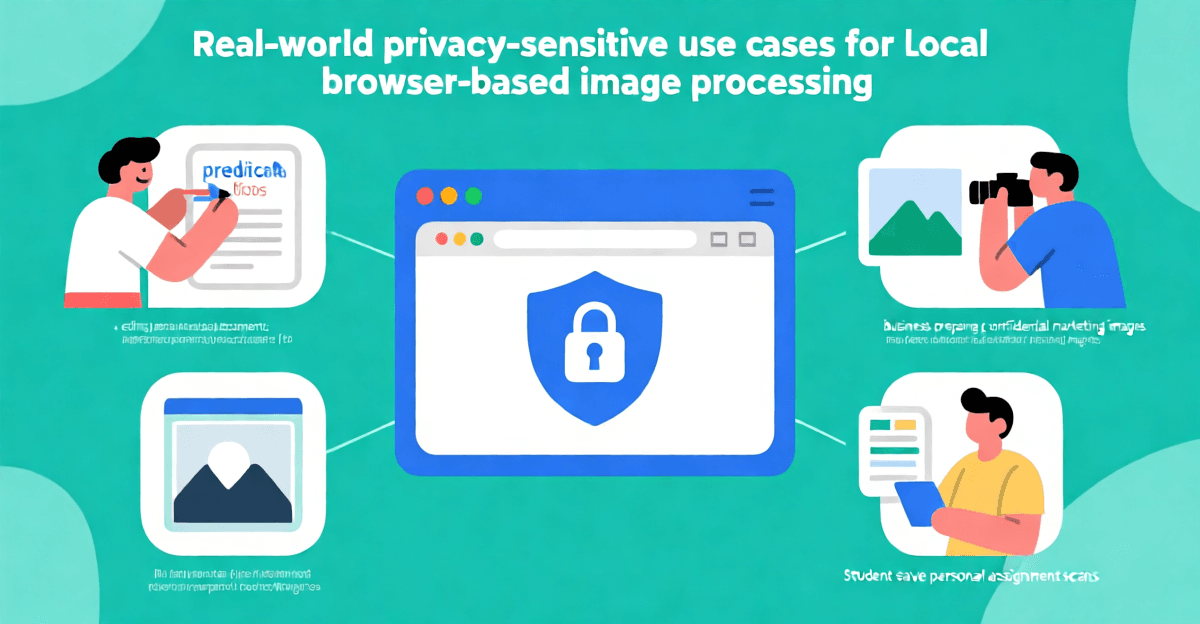
Healthcare and medical contexts are perhaps the most sensitive. Patients frequently need to share medical images: X-rays, CT scans, dermatology photos, or documents containing personal health information. The Health Insurance Portability and Accountability Act (HIPAA) in the United States imposes strict requirements on how PHI (Protected Health Information) is handled, but those requirements only apply to covered entities. A free online image tool is not a covered entity. Using a cloud-based tool to process a medical image could potentially expose that image in ways that violate the spirit of patient privacy law, even if technically no law is broken. A local processing tool sidesteps this entirely — the image never leaves the patient’s control.
Legal and financial professionals handle sensitive documents daily. A lawyer preparing exhibits needs to compress deposition photos before filing. An accountant might need to convert a scanned tax document to PDF. A financial advisor processes screenshots of account statements. Each of these files contains information that could be exploited in identity theft, corporate espionage, or fraud. Cloud tools create a record of those files existing on external infrastructure — infrastructure that has its own security posture, employee access policies, and third-party vendor relationships. Local processing eliminates the third-party attack surface.
Creative professionals and photographers often work with unreleased work, client photos under NDA, or proprietary visual assets. Sending client photos through a cloud tool to compress or convert them technically creates copies of those images on third-party servers — copies that could theoretically be accessed, leaked, or used without authorization. This isn’t paranoia; photographer theft cases involving cloud services have been documented by major publications. For professionals whose livelihood depends on protecting client trust, local processing isn’t optional — it’s essential due diligence.
Individuals in authoritarian contexts or high-risk situations face the most extreme stakes. Journalists, activists, whistleblowers, and individuals in regions with aggressive surveillance face genuine risks from having their files logged on third-party servers. Even metadata embedded in images — GPS coordinates, device information, timestamps — can be used to identify individuals or expose sources. Local processing strips away the server-side logging entirely, leaving no trail to follow.
Students and educators handling personal academic records, identification documents for enrollment, or research materials benefit from knowing their submissions aren’t being retained. University admissions offices increasingly require digital document submissions, and students often need to compress or convert these before uploading to various portals.
The Real Costs of “Free” Cloud Image Tools
Cloud-based image tools aren’t actually free in any meaningful sense. The business model is typically one of the following: advertising-funded (your data, including what you upload, may feed into ad targeting), freemium (paid features, but the free tier funds operations through data monetization), or loss-leader (the tool drives traffic to a paid product). In every case, you — the user — are the product in some form.
Consider what a typical advertising-funded image tool knows about you: your IP address (which can be used to approximate your location and identify your ISP), your browser fingerprint, your uploaded images’ metadata, and your processing patterns (what types of files you process, how frequently, what formats you convert between). This data, aggregated across millions of users, is extraordinarily valuable to advertisers and data brokers. Even if individual files aren’t identifiable, behavioral patterns certainly are.
The infrastructure costs for cloud processing are substantial. Processing a high-resolution image in the cloud requires server compute time, memory allocation, bandwidth, and storage — all of which cost money. These costs scale with usage, meaning the most popular free tools face the greatest pressure to monetize through data. There’s an inherent tension between “free, unlimited use” and “we need to pay for these servers.” That tension gets resolved in ways users rarely see: data partnerships, adtech integrations, analytics reselling.
Local processing, by contrast, costs the tool provider almost nothing in bandwidth and compute — the user’s device does all the work. This aligns incentives properly: the tool can remain free and sustainable through advertising or premium features without ever needing to monetize user data, because the data never touches the provider’s infrastructure.
Performance Advantages of Local Processing
Privacy is the headline reason to choose local processing, but it’s not the only advantage. Performance is a genuine differentiator, especially for certain use cases.
No upload or download latency. With cloud processing, every image must be uploaded to the server, processed, and then downloaded back to your device. For large files or slow connections, this round-trip can take many seconds or even minutes. With local processing, the file never travels over the network at all. The limiting factor is purely your device’s processing speed, which for typical image sizes (under 20 megapixels) is measured in milliseconds. A 5-megapixel JPEG compressed locally typically completes in under 100 milliseconds on any modern device.
Works offline. Once the local processing tool’s page is loaded, it continues to work without an internet connection. This is genuinely useful for travelers, remote workers on airplane mode, or anyone in a location with unreliable connectivity. Cloud tools become completely non-functional when you’re offline.
No bandwidth costs or quotas. For users with metered or limited internet connections — common in mobile contexts, rural areas, and international travel — local processing avoids consuming bandwidth. Converting a 10-megapixel JPEG locally uses zero upload bandwidth. The same operation through a cloud tool might consume 5-10 MB of upload bandwidth depending on the file.
Consistent performance regardless of server load. Cloud tools are shared infrastructure. When millions of people use them simultaneously, performance degrades. Local processing performance scales with your device — and your device’s performance doesn’t change because someone across the world is also using the same tool.
What Formats and Operations Does Local Processing Support?
Modern browser-based local processing tools support an impressively broad range of formats and operations. The specific capabilities depend on the tool implementation, but browser-native support has expanded significantly.
Supported input formats in most browser-based tools include JPEG (the most common format for photos), PNG (essential for graphics, screenshots, and images requiring transparency), WEBP (Google’s efficient format, now supported by all major browsers), GIF (including animated GIFs for many operations), ICO (Windows icon format), PDF (for basic viewing and extraction), HEIC/HEIF (Apple’s format, supported in Safari and increasingly in other browsers), and SVG (for vector graphics).
Supported output formats typically include JPEG (with adjustable quality from 1-100), PNG (with optional compression level), WEBP (competitive with JPEG at much smaller file sizes), and GIF (for simple conversions). The AVIF format, which offers significantly better compression than JPEG and WEBP, is supported in newer browser versions and enables dramatically smaller file sizes at equivalent quality.
Operations supported by browser-based tools range from simple format conversion and quality/compression adjustment to more complex tasks like resizing (with intelligent downscaling that preserves quality), basic color adjustments, and EXIF metadata manipulation. For most common use cases — compressing a photo, converting a PNG to JPEG, resizing an image for web — browser-based tools offer complete, professional-grade functionality without any server dependency.
Security Considerations: How to Verify Local Processing Is Actually Happening
Trust, but verify. A tool that claims to process images locally but actually does something different is a serious problem. Here is how to independently confirm that local processing is genuinely occurring.
The most reliable method is to use your browser’s developer tools, specifically the Network panel. Open developer tools (F12 or Cmd+Option+I), select the Network tab, ensure the filter is set to show all requests or specifically XHR/fetch requests. Then process an image. If the tool is genuinely local, you will see no outbound requests containing your image data. You might see a few requests for fonts, analytics scripts, or CDN assets, but you will not see POST or PUT requests uploading binary image data. This is the definitive test — it doesn’t rely on trusting the tool’s code or documentation, it relies on the browser’s built-in network monitoring.
A second verification method involves using a packet sniffer or network monitor like Wireshark. This captures all network traffic from your device and provides a complete, low-level view of what data is being transmitted. Any attempt to upload your image to a remote server will appear as an outbound HTTP request with a Content-Type indicating binary data. This method is more technical but provides the most comprehensive assurance.
A third method is to monitor your network router’s traffic indicators (if available). Many modern routers show per-device bandwidth usage in real-time. If processing an image causes a noticeable outbound bandwidth spike — even a small one — that indicates an upload is occurring. A genuine local processing tool will show zero outbound bandwidth during the processing operation (except for any static asset loading from the CDN when the page was first loaded).
Comparing Local Processing to Traditional Desktop Software
Desktop image editing software like Adobe Photoshop, GIMP, or Affinity Photo has long been the professional standard. These tools offer powerful capabilities, but they come with significant trade-offs compared to modern browser-based local processing.
Installation and updates. Desktop software requires installation (often a lengthy download), periodic updates (which can be large and disruptive), and sometimes subscription fees. Browser-based tools load instantly from any device, update automatically in the background, and cost nothing to use.
Device compatibility. A desktop application installed on a Windows PC doesn’t run on a Mac, a Linux workstation, or a mobile device. Browser-based tools work identically across any device with a modern web browser. This is particularly valuable in work environments with mixed device fleets.
Resource consumption. Professional desktop software can consume gigabytes of disk space and hundreds of megabytes of RAM. Browser-based tools run in a tab and typically consume a fraction of those resources. For simple operations like format conversion or compression, this overhead is entirely unnecessary.
Capabilities. Professional desktop software offers far deeper capabilities — advanced compositing, layers, filters, plugins, and precise color management. Browser-based tools generally target a specific subset of operations (conversion, compression, resizing) and do those exceptionally well. For simple, frequent tasks, browser-based tools are often the better choice precisely because they’re focused.
The comparison isn’t really “browser tools vs. desktop tools” — it’s “the right tool for the job.” For professional photographers doing extensive retouching, desktop software remains necessary. For the common daily tasks of compressing photos, converting formats, and resizing images, browser-based local processing offers a compelling combination of privacy, speed, and convenience.
The Growing Regulatory Landscape Around Data Privacy
Privacy regulations worldwide are tightening, and this regulatory trend is creating both pressure and opportunity around how data is handled in digital tools.
The European Union’s GDPR (General Data Protection Regulation) has been the most influential framework, establishing requirements for explicit consent, data minimization, purpose limitation, and the right to erasure. Article 5’s data minimization principle is particularly relevant: organizations should only collect data that’s necessary for their stated purpose. A tool that processes an image and then retains a copy indefinitely is arguably violating this principle — but enforcement against small free tools operating in gray areas of the law is inconsistent.
California’s CCPA/CPRA (California Consumer Privacy Act and California Privacy Rights Act) provides similar consumer rights in the United States, including the right to know what data is collected and the right to delete personal information. Several other U.S. states have enacted or are developing similar laws, creating a patchwork of regulations that cloud tool operators must navigate.
Browsers themselves are evolving to give users more control. Safari’s Intelligent Tracking Prevention, Firefox’s Enhanced Tracking Protection, and Chrome’s Privacy Sandbox initiative all signal a broader industry movement toward prioritizing user privacy. Apple’s App Tracking Transparency framework on iOS has shown that users, when given meaningful choices, often opt out of tracking at very high rates.
In this regulatory and cultural environment, local processing isn’t just a privacy preference — it’s increasingly aligned with best practices and regulatory intent. Tools that process data locally are, by their architecture, compliant with data minimization principles and purpose limitation requirements. They simply don’t retain data that would be subject to deletion requests or breach notification obligations.
How to Get Started with Privacy-First Local Image Processing
Using a browser-based local image processing tool is straightforward. Here’s a step-by-step walkthrough of how the workflow typically operates.
Step 1: Open the tool in your browser. Navigate to the tool’s website in any modern browser — Chrome, Firefox, Safari, Edge, or Brave. No account creation, no login, no email verification. The entire capability is available immediately.
Step 2: Select or drop your image. Most tools support drag-and-drop directly onto the browser window, or you can click to open a standard file picker. The browser’s file input API ensures the file stays on your device. You can select one image or batch-process multiple files depending on the tool’s capabilities.
Step 3: Configure your output settings. Choose the target format (JPEG, PNG, WEBP, etc.), set quality or compression levels, and select any additional options like resizing dimensions. The interface is typically a clean, intuitive panel with sliders and dropdown menus.
Step 4: Process the image. Click the convert, compress, or resize button. The processing happens entirely in your browser’s JavaScript engine, using your device’s CPU. You’ll see the result appear instantly — for typical photos, this is measured in milliseconds.
Step 5: Download the result. Click the download button to save the processed file to your device. The file is saved directly from memory — no server round-trip required. Some tools also support right-click save-as or automatic downloads.
That’s it. No accounts, no uploads, no waiting for server processing, no data leaving your device. The entire workflow takes under a minute for most images.
Frequently Asked Questions
How can I verify that my images aren’t actually being uploaded when I use a local processing tool?
The most reliable verification method is to use your browser’s built-in developer tools. Open the Network panel (press F12 or Cmd+Option+I, then click the Network tab), ensure it captures all outbound requests, and then process an image. A genuinely local tool will show no outbound requests carrying your image data. You may see requests for static assets like fonts or scripts, but no POST or PUT requests with binary image content. This method works independently of any trust in the tool’s documentation — it uses the browser’s own monitoring to prove what’s actually transmitted.
Does local browser-based processing work on mobile devices?
Yes, modern mobile browsers on both iOS and Android support the HTML5 Canvas API and related browser features required for local image processing. Safari on iOS, Chrome on Android, and Firefox on mobile all support these capabilities. The mobile experience is similar to desktop, with touch-based file selection and swipe-to-download functionality. For very large images on older or lower-end mobile devices, processing may be slower than on a desktop with a faster CPU, but it works correctly. Apple devices using HEIC format will often need local processing tools that can handle HEIC input, which most modern tools do support.
What happens if my image is extremely large? Will my browser crash or freeze?
Browser-based processing is memory-intensive because the entire decoded image must fit in RAM. Very large images — those from high-resolution cameras (50+ megapixels) or scanned documents — can approach or exceed the memory available to a browser tab. On most modern desktop systems with 8+ GB of RAM, images up to about 50 megapixels process without issues. If you encounter memory problems with very large images, try reducing the image dimensions before processing, or process it in chunks. Some tools include built-in safeguards that warn you when an image exceeds recommended sizes. For extremely large professional work, traditional desktop software with 64-bit memory addressing may be more appropriate.
Are there any formats that browsers can’t handle locally?
Browser support varies by format. JPEG, PNG, WEBP, GIF, and BMP are universally supported across all modern browsers. HEIC/HEIF (Apple’s format) is supported in Safari and is being added to other browsers. AVIF is supported in newer versions of Chrome, Firefox, and Safari. TIFF files may have limited support depending on the specific codec used. PDF support is available through the browser’s built-in PDF rendering in most cases, though advanced PDF operations may require specific APIs. If a format isn’t natively supported by the browser, the tool typically can’t process it — but this is a limitation of the browser itself, not of local processing as an approach.
Can local processing tools handle batch operations on multiple images?
Yes, many browser-based local processing tools support batch operations. The browser can iterate through multiple selected files, processing each one sequentially in memory. The practical limit depends on your device’s available RAM — processing 10 images of 5 megapixels each is typically no problem, while processing 100 high-resolution photos simultaneously might strain memory. Some tools process images one at a time and download each result individually; others collect the results and offer a batch download. If you need to process very large batches, doing them in groups of 10-20 is the most reliable approach.
Does local processing affect image quality compared to cloud processing?
For the vast majority of operations — format conversion, compression, resizing — local browser-based processing produces results that are identical in quality to cloud-based processing. The Canvas API’s encoding functions use the same underlying algorithms as server-side libraries. Where small differences might appear, they typically relate to specific encoding parameters (like chroma subsampling in JPEG) or metadata handling, not fundamental quality degradation. If a cloud tool offers “lossy” compression at a specific quality level, a local tool using the same quality parameter should produce visually identical output. The key exception is tools that use specialized AI-based compression (like Neural Networks trained on specific image types), which require server-side GPU compute — but for standard format conversion and compression, local processing is equivalent.
Is there any risk from malicious JavaScript on the tool’s website?
This is a legitimate concern. Local processing protects against server-side data collection, but it doesn’t protect against client-side JavaScript running on the tool’s website. A malicious tool could theoretically read files you load into the page and send them to a remote server via JavaScript network requests. To mitigate this risk: only use tools from trusted, well-established sources; review the tool’s privacy policy and code if possible (open-source tools are preferable); and use browser developer tools to verify no suspicious outbound requests occur. Additionally, consider using a tool in a browser profile or sandbox environment that limits what it can access. Privacy browser extensions that block tracking can also provide an additional layer of defense against data exfiltration.
What are the bandwidth savings of local processing compared to cloud processing?
Local processing saves both upload and download bandwidth. When processing an image through a cloud tool, you typically upload the original file (full size) and download the processed result (often smaller, but still significant). For a 5-megapixel JPEG at 3 MB, a cloud round-trip might consume 2-5 MB of bandwidth total (1.5 MB upload + 1.5-3 MB download, depending on compression). Local processing consumes zero additional bandwidth after the tool’s page assets are initially loaded — the processing itself is entirely local computation. Over many operations, this can add up to significant savings, especially for users on metered mobile data plans. A user who processes 20 images per week could save 30-100 MB of bandwidth per week by using local processing instead of cloud processing.
Conclusion: Why Local Processing Is the Only Option for Privacy-Conscious Users
When you use a cloud-based image tool, you are making an implicit bet: that the tool operator will handle your data responsibly, that their security will remain adequate, that their business model won’t shift toward more aggressive data monetization, and that no one — inside the company or outside — will ever misuse the files you’ve trusted them with. That’s a lot of bets to place on a free service with no contractual guarantee.
Local browser-based processing eliminates all of these uncertainties at the architectural level. A file that never leaves your device cannot be breached on someone else’s server, cannot be subpoenaed from a jurisdiction you don’t live in, cannot be included in a data set sold to advertisers, and cannot be accidentally exposed because of someone else’s security failure. The privacy protection isn’t a policy promise — it’s enforced by the fundamental way the technology works.
The browser platform has matured to the point where local image processing is genuinely capable for the vast majority of common use cases. Format conversion, compression, resizing, and basic adjustments are all handled with professional-quality results. The performance is fast, the experience is seamless, and the privacy protection is absolute. There’s simply no reason to upload your images to someone else’s server when you don’t have to.
If you process images that contain personal, professional, medical, legal, or otherwise sensitive information — and at some point, everyone does — local processing should be your default. The tools are there, they’re free, and they work. Your privacy is worth a few extra seconds of thinking about which tool to use.