ZizzleUp Editorial Team • April 16, 2026
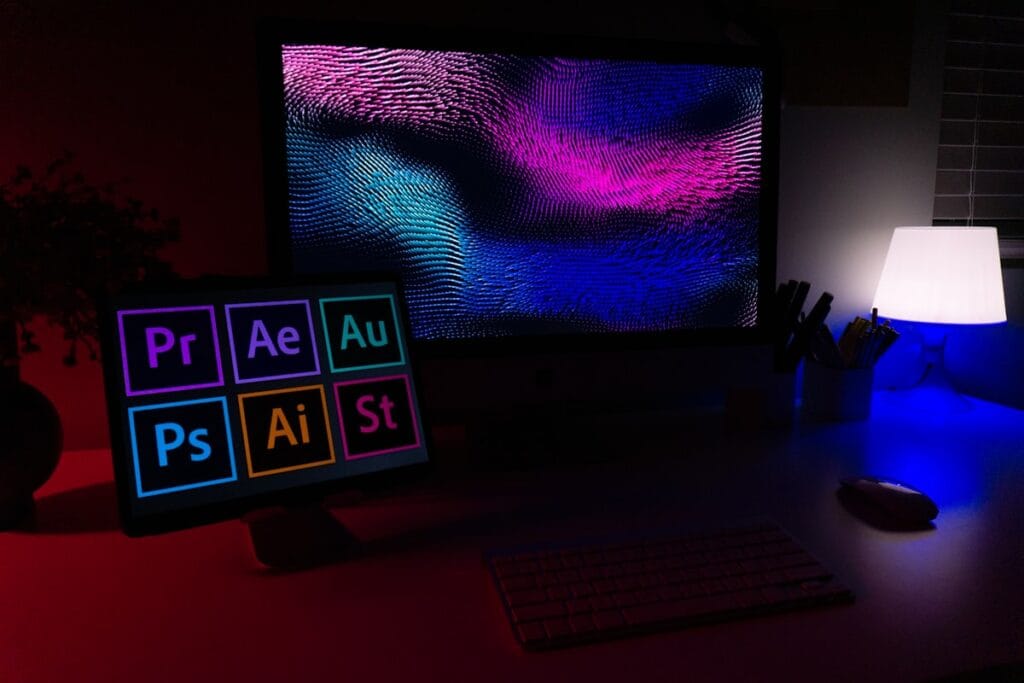
Adobe Firefly AI Assistant just became one of the most significant product launches in creative software history. Announced officially on April 15, 2026 at NAB (the National Association of Broadcasters conference), the Firefly AI Assistant is a conversational AI agent that orchestrates complex, multi-step creative workflows across Photoshop, Premiere Pro, Lightroom, Illustrator, Express, and more — all from a single chat interface, using nothing but plain English. For the millions of creators, designers, photographers, and marketers who rely on Adobe’s tools every day, this is a fundamental change in how creative work gets done. Here is everything you need to know right now.
What Is the Adobe Firefly AI Assistant?
The Adobe Firefly AI Assistant is an agentic AI tool that allows creators to describe what they want to achieve in plain language — and then watches as the assistant plans, orchestrates, and executes all the required steps automatically, across whichever Adobe apps are needed to deliver the result. Rather than opening Photoshop for retouching, Lightroom for color grading, Express for resizing, and Premiere for video editing as separate manual steps, a creator can simply say what the outcome should be — and the assistant handles everything in a unified workflow.
The product evolved from “Project Moonlight,” which Adobe first previewed at Adobe MAX in October 2025. After months of private beta testing, the full announcement arrived April 15, 2026, with public beta access coming in the weeks ahead. Firefly AI Assistant introduces a fundamentally new way to create — one where you start with the vision, describe what you want, and shape it as it comes together with the help of the assistant.
Crucially, the Firefly AI Assistant works with native file formats throughout — meaning every change it makes remains fully editable by hand. A designer can jump in at any stage to fine-tune vectors or pixels manually, preserving the creative precision that professional Adobe workflows demand.
How Adobe Firefly AI Assistant Works Across Creative Cloud
Adobe Firefly AI Assistant works through a single, unified conversational interface that maintains context across sessions and across applications. If a creator starts a project inside Firefly and then opens Photoshop for detailed retouching, the assistant moves with them — remembering the full conversation history and project parameters without requiring re-explanation.
Concretely, the workflow looks like this: A creator types — or speaks — what they want. The assistant interprets that request, breaks it into specific sub-tasks, identifies which Creative Cloud apps are needed, executes each step in the correct sequence, and surfaces the result. Along the way, it checks in with the user at key decision points, asking clarifying questions rather than making assumptions about critical creative choices.
Additionally, the Adobe Firefly AI Assistant integrates directly with Frame.io, Adobe’s collaborative video review platform. This means the assistant can package and organize project materials, share them with collaborators, collect feedback through Frame.io’s review tools, and even apply approved changes automatically — compressing what was previously a multi-day review cycle into a single assisted workflow. Furthermore, Adobe has confirmed that the assistant works with Anthropic’s Claude, enabling creators to access Adobe’s tools directly from within Claude’s interface.
Adobe Firefly AI Assistant Key Features: Creative Skills, Context, and Personalization
Beyond the core conversational orchestration, the Adobe Firefly AI Assistant introduces several features that directly address the friction points creators face every day:
Creative Skills: Pre-built, multi-step action playbooks for common creative tasks. For example, a “social media” Skill can take a single image, automatically crop it for every major platform ratio (1:1, 4:5, 9:16), use Generative Extend to fill or expand the background, optimize file size, and save everything to the cloud — all in one command. Creators can also build and save their own custom Skills for repeatable brand workflows.
Cross-session context: The assistant remembers brand guidelines, project history, and preferred tools across sessions. Therefore, returning to a project after a week does not require re-briefing the assistant on what was established before.
Project Graph (coming soon): A visual node-based editor in which creators can wire together AI models, Adobe tools, and effects into reusable “capsules” — portable workflow templates shareable across teams. This represents Adobe’s longer-term infrastructure bet for creative collaboration at scale.
30+ third-party AI models: Firefly’s library now includes models from Google (Nano Banana 2, Veo 3.1), Runway Gen-4.5, Luma AI Ray3.14, Black Forest Labs FLUX.2 [pro], ElevenLabs Multilingual v2, Topaz Astra, Kling 3.0, and Kling 3.0 Omni — giving creators access to the best image and video generation models from a single platform.
Adobe Stock integration: Creators can now access over 800 million licensed assets — video, images, audio, and sound effects — directly within the Firefly Video Editor workflow, without leaving the tool or managing separate licensing agreements.
New Adobe Firefly Image and Video Editing Tools Available Right Now
While the Adobe Firefly AI Assistant itself enters public beta in the coming weeks, Adobe announced several new image and video editing capabilities available immediately to Firefly plan subscribers. These additions are significant in their own right:
Precision Flow (images): Generates a wide range of output variations from a single prompt, letting creators browse from subtle adjustments to dramatic transformations using an intuitive slider — without starting over from scratch for each variation. This directly addresses the core frustration of iterative AI image editing.
Firefly Image Model 5: The latest generation of Adobe’s proprietary “commercially safe” image generation model, trained exclusively on licensed and public domain content. Model 5 brings improved photorealism, better text rendering, and stronger style consistency over its predecessor.
Enhanced video audio tools: The Firefly Video Editor gains Enhance Speech (noise and reverb reduction, level balancing across speech, music, and ambience), color adjustment controls (exposure, contrast, saturation, temperature), and one-click looks as starting points.
Custom Models: Organizations and enterprise teams can now train custom Firefly models on their own branded visual assets, enabling consistent AI-generated outputs that match proprietary style guides.
Adobe Firefly AI Assistant vs. Canva AI 2.0 and Figma AI in 2026
The launch of the Adobe Firefly AI Assistant arrives in the context of an intensely competitive creative software market. Canva — which reached 260 million monthly active users in early 2026 — launched Canva AI 2.0 as a research preview this same week, introducing a conversational agent powered by Canva’s own Proteus and Lucid Origin models. Figma has also announced its own agentic workflow features. Understanding where each tool excels helps creators choose correctly.
| Dimension | Adobe Firefly AI Assistant | Canva AI 2.0 | Figma AI |
|---|---|---|---|
| Primary audience | Pro creatives & studios | General & marketing teams | UX & product designers |
| App orchestration | ✅ 6+ CC apps unified | ⚠️ Canva-only | ⚠️ Figma-only |
| Commercial image safety | ✅ Licensed training data | ⚠️ Varies by model | ⚠️ Varies by model |
| Third-party AI models | ✅ 30+ (Kling, Veo, Runway…) | ❌ Proprietary only | ❌ Limited |
| Video editing | ✅ Premiere + Firefly Editor | ⚠️ Basic | ❌ |
| Starting price | $9.99/month (Firefly plan) | Free / $15/month Pro | Free / $15/month |
| Context across sessions | ✅ Full memory | ✅ Brand memory | ⚠️ Limited |
Adobe’s core competitive advantage is depth and professional precision. Canva wins on accessibility and free-tier reach. Figma dominates UX workflows. However, for photographers, videographers, and studio production teams who live inside Adobe’s ecosystem, the Firefly AI Assistant removes the primary remaining friction — tool-switching and workflow management — that has prevented AI from fully integrating into professional creative pipelines.
Adobe Firefly AI Assistant Availability and Pricing
The Adobe Firefly AI Assistant enters public beta in the coming weeks, with more demos and information planned for Adobe Summit, taking place April 19–22, 2026 in Las Vegas. The assistant will first be available within the Firefly app, then expand progressively across Creative Cloud applications.
New image and video editing capabilities — including Precision Flow, Firefly Image Model 5, Custom Models, and the enhanced video audio tools — are available immediately for customers with an active Firefly plan, which starts at $9.99/month. Existing Creative Cloud All Apps subscribers also receive Firefly access at no additional cost. Pricing for the AI Assistant specifically has not yet been confirmed, as Adobe has not specified whether it will use a separate credit model or be included in existing subscriptions.
Adobe also confirmed that the Firefly AI Assistant will integrate with third-party AI models — including Claude from Anthropic — enabling creators to access Adobe’s full creative toolkit directly from within Claude, with additional third-party integrations underway.
Exporting and Optimizing Images from Adobe Firefly AI Assistant
One of the Firefly AI Assistant‘s most powerful Creative Skills is automated export: take a single image, generate multiple crops for every major social media platform, expand backgrounds where needed using Generative Extend, then optimize and save all files — in one workflow. This dramatically accelerates content production pipelines for marketing teams and social media creators.
However, images exported from Adobe Firefly — whether generated by AI or edited from source photography — often need additional optimization before being published to the web. Firefly typically exports at full resolution in PNG or JPEG format, which, while ideal for print and professional deliverables, can significantly slow down web page load times and hurt Core Web Vitals scores.
Before uploading Firefly-generated or Firefly-edited images to a website, consider these critical optimization steps:
- Convert PNG to WebP or AVIF: Firefly frequently exports images as PNG, especially when transparency or layering is involved. Converting PNG to WebP typically reduces file size by 25–35%. Converting to AVIF achieves savings of up to 50% — with no visible quality loss for web display.
- Resize to actual display dimensions: Firefly can export at 2K or 4K resolution. If your blog or landing page displays images at 800px wide, resize before uploading. Serving oversized images wastes bandwidth and slows LCP scores.
- Compress for web delivery: Even after format conversion, apply a compression pass. For WebP, quality 75–82 is optimal for web. For JPEG exports, quality 80–85 preserves visual fidelity while cutting file size significantly.
- Strip metadata: Exported images often contain embedded color profiles, creator data, and EXIF metadata that add unnecessary file weight. Strip this data before uploading to web servers.
- Use descriptive alt text: AI-generated and AI-edited images carry no inherent textual context for search engines. Always write meaningful, keyword-rich alt text for SEO benefit.
For fast, free format conversion — PNG to WebP, JPEG to AVIF, image compression, and resizing — directly after exporting from Firefly, ZizzleUp’s free online image converter handles all of these tasks in your browser with no account, no software, and no upload limits.
Conclusion
The Adobe Firefly AI Assistant represents a genuine turning point for professional creative software. By shifting the interaction model from individual tool commands to outcome-based, conversational orchestration across an entire creative suite, Adobe has taken the clearest step yet toward what AI-native creative workflows will look like in the years ahead.
For photographers and retouchers, automated multi-step workflows in Photoshop and Lightroom eliminate the most repetitive parts of editing pipelines. For video editors, Premiere integration with the assistant — combined with new audio tools and Adobe Stock access — accelerates post-production significantly. For marketers and content teams, Creative Skills for social media asset generation compress hours of manual work into a single conversational command.
The public beta is coming in weeks. Watch for the Adobe Summit demos on April 19–22, 2026 in Las Vegas for the first full hands-on look. Meanwhile, the new image editing capabilities — Precision Flow, Firefly Image Model 5, and Custom Models — are available today for any Firefly plan subscriber. Consequently, there is no reason to wait to start exploring what this new era of Adobe AI can do for your creative workflow.
Sources
- 🔗 Adobe Ushers in a New Era of Creativity with Firefly AI Assistant — Adobe Newsroom (April 15, 2026)
- 🔗 Introducing Firefly AI Assistant — Adobe Blog (April 15, 2026)
- 🔗 Adobe’s New Firefly AI Assistant Can Use Creative Cloud Apps to Complete Tasks — TechCrunch (April 15, 2026)
- 🔗 Adobe Firefly AI Assistant Will Handle Multi-Step Tasks Across Creative Cloud — 9to5Mac (April 15, 2026)
- 🔗 Adobe Launches Firefly AI Assistant to Orchestrate Tasks Across Creative Cloud — The Next Web (April 15, 2026)
- 🔗 Adobe Launches Firefly AI Assistant Across Creative Cloud Apps — Dataconomy (April 16, 2026)
- 🔗 Adobe Firefly AI Assistant Debuts at NAB 2026 — RedShark News (April 2026)
- 🔗 Adobe Firefly AI Assistant Automates Multi-Step Workflows Across Creative Cloud — iClarified (April 16, 2026)