Processing images online has become an everyday activity for millions of people worldwide. Whether you’re compressing photos to share on social media, converting screenshots to different formats, or editing personal documents, the question of where and how your images are processed matters more than you might think. When you upload an image to an online tool, what actually happens to your data? Who has access to it? These are critical questions that affect your privacy and security. This comprehensive guide explores the fundamental differences between client-side and server-side image processing, helping you make informed decisions about how you handle your digital images. Understanding these two approaches is essential for anyone who cares about data privacy in our increasingly connected world.
The choice between client-side and server-side processing isn’t just a technical decision—it’s a privacy decision. Every time you use an online image tool, you’re implicitly trusting that service with your data. But not all processing methods are created equal, and the differences between them can have significant implications for your personal information. By understanding how each approach works, you can choose the right tools for different situations and protect your sensitive data from unnecessary exposure.
Understanding Client-Side Processing: How It Works
Client-side processing happens entirely within your web browser. When you use a client-side image tool, the image data is loaded into your device’s memory and all transformations occur locally using JavaScript, the Canvas API, or WebAssembly technologies. Your image never leaves your device during the processing time. This approach represents a fundamental shift in how we think about web applications—instead of sending data to a remote server for processing, the processing power of your own device is harnessed to get the job done. Modern browsers have become incredibly capable of handling complex operations that were once the exclusive domain of desktop software.
The technology behind client-side processing has advanced dramatically in recent years. JavaScript libraries like Canvas API provide powerful methods for manipulating images directly in the browser. WebAssembly takes this further by allowing near-native performance for computationally intensive tasks, meaning even complex image editing operations can run smoothly on your local device. These advances have transformed what was once a novelty into a serious alternative to traditional server-based processing. The browser has essentially become a full-fledged application platform capable of handling tasks that would have required specialized software just a decade ago.
One of the most significant advantages of client-side processing is the privacy protection it inherently provides. When your images never leave your device, there’s no opportunity for them to be intercepted, stored, or misused by external parties. This is particularly important for sensitive documents such as medical records, financial statements, personal identification documents, or intimate photographs. With client-side processing, you maintain complete control over your data throughout the entire workflow. The principle of data minimization is naturally enforced—you’re not sharing your data with third parties unless absolutely necessary.
Browser security mechanisms provide additional protection through sandboxing. Modern browsers isolate each website in its own sandbox, preventing malicious code from accessing your file system or other sensitive resources. This means that even if you encounter a compromised website, the damage it can do is limited by the browser’s security model. Your images remain under your control throughout the entire processing workflow, and no intermediate copies are stored on external servers. This isolation is a fundamental security feature that client-side processing leverages effectively.
For users concerned about data privacy, client-side processing offers peace of mind that simply isn’t possible with server-based alternatives. When you use a browser-based tool, you can verify that your images aren’t being uploaded—you can even disconnect from the internet after loading the page and the tool will still work. This level of transparency and control is impossible with server-side processing, where the actual operations happen on remote infrastructure you can’t inspect or verify.
Understanding Server-Side Processing: The Traditional Approach
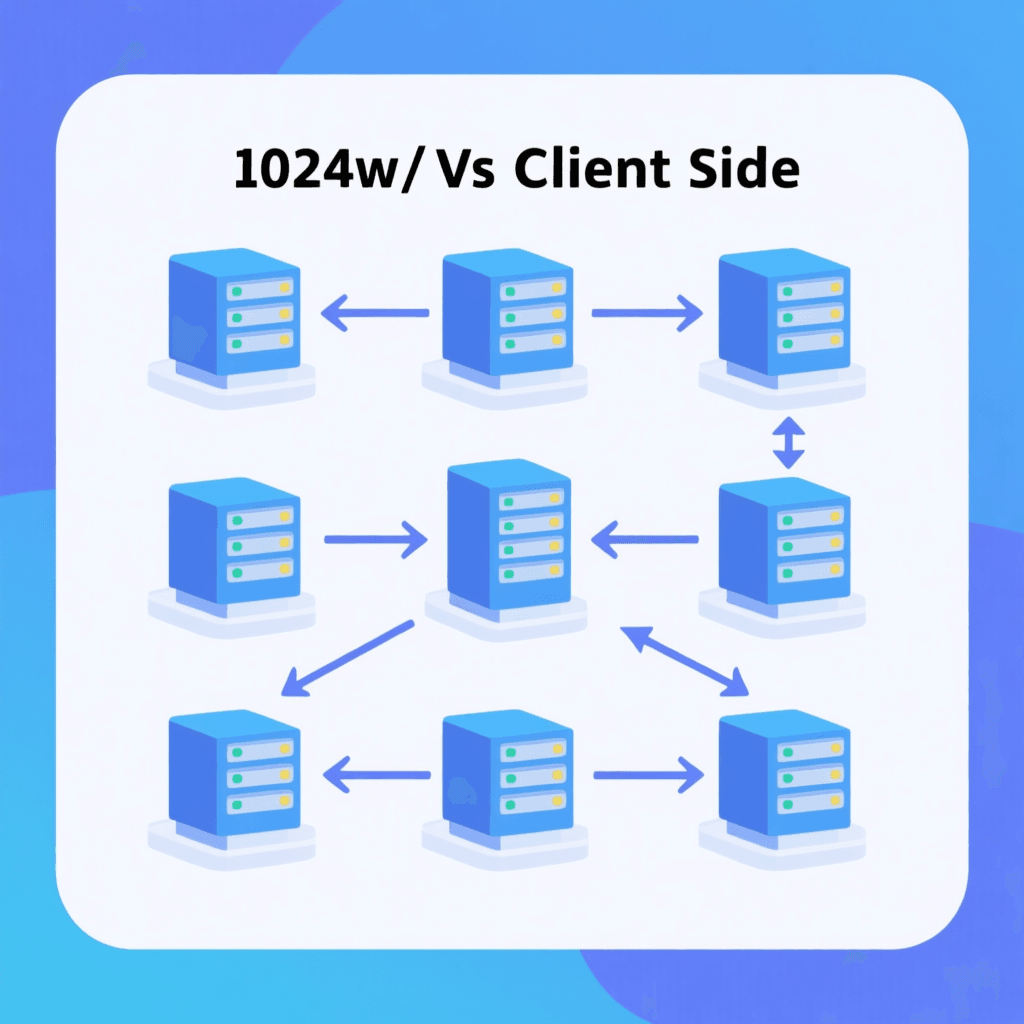
Server-side processing has been the traditional method for handling image operations on the web. When you upload an image to a server-based tool, your image travels over the internet to remote computers that perform the requested operations and then send the processed result back to you. This approach places significant trust in the service provider—you’re relying on them to handle your data responsibly, securely, and in accordance with their stated privacy policy. Understanding what happens to your data when you use server-side tools is essential for making informed choices about which tools to use.
The advantages of server-side processing are real and substantial. Remote servers typically have far more computational power than consumer devices, meaning they can handle very large files or complex operations more quickly. A server with specialized hardware can process hundreds of images in the time it would take a personal computer to handle just a few. This makes server-side processing particularly suitable for high-volume commercial operations where speed and efficiency are paramount. For businesses processing large numbers of images daily, the performance benefits of server-side processing can be significant.
However, the privacy implications of server-side processing cannot be overlooked. When you upload an image to a server, you’re creating a copy of your data that exists on infrastructure you don’t control. The service provider has the technical ability to access, analyze, store, or even share your uploaded images. While reputable services have strict policies against such activities, the technical capability exists. Data breaches are an ongoing concern—with servers containing millions of user uploads, they become attractive targets for hackers. The W3C continues to develop web standards that address these security concerns, but the fundamental architecture of server-side processing introduces inherent risks.
Network security adds another layer of complexity. Even if you trust the destination server, your images must travel across the internet to get there. This transit period represents a window of vulnerability where your data could potentially be intercepted. While HTTPS encryption protects data in transit, it only protects the journey—the data must still be decrypted and processed on the server, where it’s exposed to anyone with access to that server’s systems. Understanding these security considerations helps you make better decisions about which types of images are appropriate for server-side processing.
The handling of uploaded images varies significantly between providers. Some services process images immediately and delete them from their servers within minutes. Others may store images for various purposes—improving their algorithms, maintaining backups, or for other business reasons. Reading privacy policies carefully before using server-based tools is essential. Look for specific information about how long images are retained, what happens to them after processing, and whether they’re used for any secondary purposes. This due diligence helps you understand exactly what you’re agreeing to when you upload your images.
Privacy Implications: Protecting Your Data
The privacy implications of your processing choice cannot be overstated. Client-side processing keeps your images completely within your control—no third party ever has access to the original files. This makes client-side processing the obvious choice for any sensitive images you wouldn’t want others to see. Personal photos, medical documents, financial records, identification documents, and any image containing private information should never be uploaded to server-based tools unless absolutely necessary and after careful consideration of the risks involved.
Server-side processing requires transferring your data outside your personal device ecosystem. Even with the most trustworthy service providers, you’re expanding the circle of people who potentially have access to your images. Employees of the hosting company, cloud providers, and anyone who gains unauthorized access to the servers could potentially view your uploaded images. The more places your data exists, the greater the risk of unauthorized access. This is a fundamental principle of data security—the attack surface expands with each additional copy and location.
Metadata is often overlooked but critically important for privacy. Many images contain hidden metadata—EXIF data—that reveals information about when and how the photo was taken, what device was used, and potentially even location data. When you upload images to servers, this metadata may be exposed or preserved in ways you didn’t anticipate. Client-side processing gives you the opportunity to strip this metadata before any sharing occurs, providing an additional layer of privacy protection. Being mindful of metadata helps ensure that only the visual content you intend to share is actually shared.
For organizations handling sensitive data, the compliance implications of processing choice can be significant. Regulations like GDPR, HIPAA, and other data protection frameworks impose strict requirements on how personal data is handled. Using client-side processing can simplify compliance by ensuring personal data never leaves the individual’s device in the first place. This approach aligns with privacy-by-design principles and can reduce the compliance burden for businesses that process sensitive images from their users.
Our Mobile vs Desktop Image Processing guide explores these privacy considerations in more depth, providing practical tips for protecting your data across different devices and platforms. Understanding the full picture of image processing privacy helps you make better decisions about how you handle your digital images in everyday life.
Security Vulnerabilities: Understanding the Risks
Every system has vulnerabilities, and understanding them helps you make better security decisions. Server-side systems present larger attack surfaces because they store data centrally and process requests from many users. Hackers increasingly target servers because a single successful breach can yield millions of user records. High-profile data breaches at major companies have exposed hundreds of millions of user records in recent years, demonstrating the real-world consequences of server-side data storage. The concentration of data on servers makes them attractive targets for malicious actors.
Client-side processing avoids these server-based risks entirely. Since your images never leave your device, there’s no centralized repository of your data that could be breached. Even if the website you’re using has security vulnerabilities, your images remain safe on your local device because they were never transmitted in the first place. This architectural advantage is fundamental to client-side processing—there’s no server data to steal because there is no server-side storage of your images. The security model is inherently stronger by design.
However, client-side processing isn’t without its own security considerations. Malicious websites could potentially exploit browser vulnerabilities to access data they shouldn’t. Using trusted tools from reputable sources is essential—don’t use client-side tools from unknown or suspicious websites. Keeping your browser and operating system updated protects you against known vulnerabilities that could be exploited. These same security practices apply to all web browsing, but become especially important when processing sensitive images. The Mozilla Security Guidelines provide excellent best practices for staying safe online.
Transport security remains important even for client-side processing. When initially loading the processing tool, ensure you’re using an HTTPS connection to prevent tampering with the tool’s code. Some malicious websites attempt man-in-the-middle attacks to inject harmful code into legitimate web pages. Checking for the padlock icon in your browser’s address bar and verifying the website’s certificate helps ensure you’re actually using the legitimate tool and not a compromised version. These basic security practices provide important protection.
Performance: Comparing Speed and Efficiency
Performance characteristics differ significantly between client-side and server-side processing, and understanding these differences helps you choose the right approach for your needs. Server-side processing typically offers more consistent performance because dedicated server hardware handles the computational work, regardless of your device’s capabilities. Large batch jobs that would strain your personal device can be processed quickly on powerful server infrastructure. Network speed becomes the primary factor affecting processing time, rather than your device’s processor.
Client-side processing performance depends heavily on your specific device. A powerful desktop computer with a fast processor can handle even complex image operations quickly, while an older mobile device might struggle with very large images or intensive processing tasks. However, the absence of upload and download times often makes client-side processing feel faster for typical image operations. There’s no waiting for large files to transfer over your internet connection—the processing happens immediately on your device. For most everyday image processing tasks like compressing photos or converting between common formats, modern devices handle the work easily.
The user experience of client-side processing can be more responsive because everything happens locally. There’s no network latency to contend with, and you can see results instantly as you make adjustments. This immediate feedback is particularly valuable when you’re experimenting with different settings or making fine adjustments to achieve a specific look. Server-side tools typically require round-trips to the server that introduce delays, even on fast connections. The responsiveness of client-side processing can make creative work more enjoyable and productive.
For very large files or specialized processing tasks, server-side advantages become more pronounced. Processing a hundred-megabyte RAW photograph or applying complex filters might be impractical on a mobile device but happens quickly on dedicated server hardware. Similarly, advanced processing operations like AI-powered enhancements might require computational resources beyond what’s available in a typical browser. In these specialized cases, the performance advantages of server-side processing can justify the privacy trade-offs involved.
When to Choose Each Method: Practical Guidelines
Making the right choice between client-side and server-side processing depends on understanding your specific situation and priorities. For sensitive images—personal photos, documents containing personal information, medical records, financial documents, or anything you wouldn’t want shared—client-side processing is the clear choice. The privacy benefits far outweigh any convenience advantages of server-side processing. These are exactly the types of images where using our browser-based tools makes the most sense.
For non-sensitive bulk operations, server-side processing might offer practical advantages. If you’re processing hundreds of product images for an e-commerce site, the speed advantages of server-side processing could save significant time. If you’re experimenting with different processing approaches and need specialized tools not available in the browser, server-side solutions might be necessary. The key is understanding what you’re trading off and making conscious decisions rather than defaulting to one approach for everything.
Always verify how your chosen tool processes images before uploading sensitive content. Look for clear statements that processing happens locally in your browser. Be suspicious of tools that are vague about where processing occurs or that don’t have obvious privacy policies. The best tools make their privacy-preserving approach a selling point and explain it clearly. Taking a moment to verify the processing method helps you avoid accidentally exposing sensitive data.
Consider your threat model when making these decisions. For most casual users, client-side processing provides more than adequate protection for everyday image tasks. For those with elevated privacy concerns—journalists, activists, medical professionals, or anyone handling particularly sensitive materials—client-side processing should be the default choice. Understanding your specific risks helps you apply the appropriate level of protection consistently.
Frequently Asked Questions
Can server-side tools see my images?
Yes, server-side processing inherently requires uploading your images to the service provider’s servers. The service can technically access your images during processing. Always review the privacy policy to understand exactly how your data is handled. Even with honest service providers, the technical capability to access your images exists.
Is client-side processing always secure?
Client-side processing keeps images on your device, but risks remain. Malicious websites could potentially exploit browser vulnerabilities or use deceptive practices. Stick to trusted tools from reputable sources, keep your browser updated, and verify that the tool actually processes images locally. The security model is stronger but not invincible.
How do I know if processing happens locally?
Look for explicit statements that processing happens in your browser or client-side. Trusted tools typically highlight this as a feature. You can also test by disconnecting from the internet after loading the tool—if it still works, processing is definitely client-side. Be cautious of tools that are vague about where processing occurs.
Which method produces better quality results?
For most common tasks like compression and format conversion, quality is similar between both methods. Server-side tools may have advantages for specialized processing requiring significant computational resources. The quality depends more on the specific tool and algorithms than on client versus server architecture.
Can I use both methods for different tasks?
Absolutely—choosing the right tool for each situation represents good security practice. Use client-side processing for sensitive images and routine tasks. Reserve server-side processing for specialized needs where client-side tools fall short. This flexible approach optimizes both security and convenience.
Summary: Making Informed Choices
Understanding the differences between client-side and server-side image processing is essential for protecting your privacy in the digital age. Client-side processing keeps your images on your device, providing inherent privacy advantages. Server-side processing offers convenience and power but requires trusting third parties with your data. Neither approach is universally better—the right choice depends on your specific situation, the sensitivity of your images, and your performance requirements.
For sensitive images that you want to keep private, client-side processing is the clear winner. Your images never leave your device, and there’s no opportunity for unauthorized access during processing. The technology has matured to the point where client-side tools can handle most everyday image processing tasks efficiently. Using our free privacy-focused tools ensures your sensitive images remain completely private.
For non-sensitive bulk processing or specialized tasks requiring significant computational resources, server-side tools might offer practical advantages. The key is understanding what you’re trading off and making conscious decisions rather than using one approach indiscriminately. By understanding both approaches, you can make informed choices that balance privacy, convenience, and functionality based on what matters most in each situation.
The future of image processing likely involves increasingly powerful client-side tools as browser technology continues to advance. What was once possible only on specialized software or remote servers can now be accomplished directly in your browser. This trend toward client-side processing aligns with growing privacy awareness and provides users with more control over their data than ever before. Embrace these privacy-preserving tools whenever possible, and make informed choices about the images you share and how you process them.