Instagram has become one of the most influential image-based social platforms globally, with over 2 billion monthly active users. In this era where visuals reign supreme, how to make your posted images stand out and gain more likes, comments, and followers is a concern for every Instagram user. Although Instagram appears to be a “face-focused” platform, in fact, image quality, composition, color, posting time, hashtag strategy, and many other factors together determine a post’s performance. This manual will provide complete Instagram image optimization strategies from a practical perspective, helping you achieve better performance and growth on this highly competitive platform.
Understanding Instagram’s Image Technical Specifications
Before optimizing images, you first need to understand Instagram’s technical specifications. Instagram supports multiple image aspect ratios including square (1:1), portrait (4:5), and landscape (1.91:1). Among these, full-screen portrait images (4:5) are currently considered most eye-catching as they occupy more screen space for users. Square images remain the classic choice suitable for maintaining visual consistency across your account. Landscape images are supported but have larger black borders when displayed on mobile, resulting in poorer visual effects.
Photo Shooting and Editing Techniques
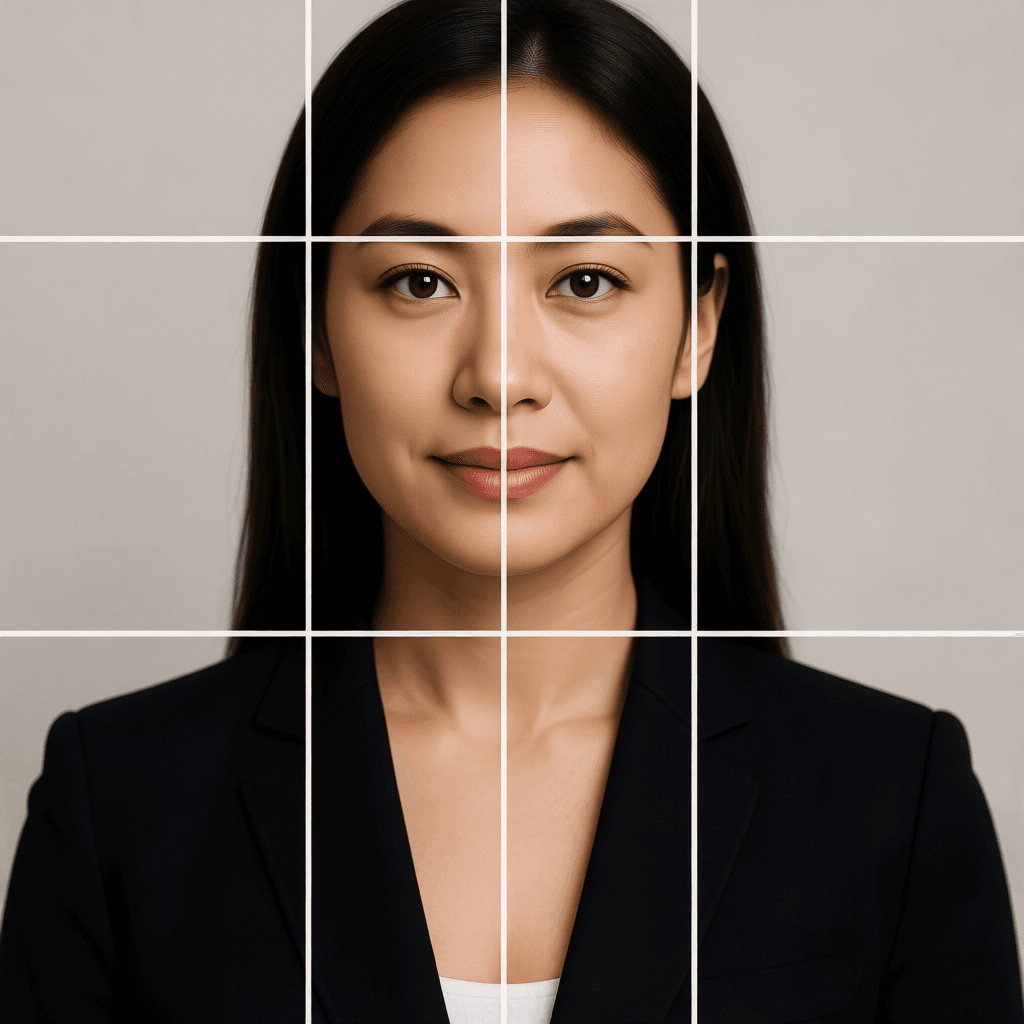
After understanding technical specifications, the next step is actual photo shooting and editing. In the shooting phase, good lighting is half the battle. Natural light is always the best choice, with ideal shooting times being early morning or evening during “golden hour” when light is soft and layered, creating charming light and shadow effects. If you must shoot indoors, try to position yourself near windows or use professional fill lights. In terms of composition, following the rule of thirds can make your images more visually appealing—place the main subject at the intersection of the thirds lines rather than the center to create more dynamic results.
Color Strategy and Visual Style Building
On Instagram’s highly visual platform, unique color strategies and consistent visual styles are key to building brand recognition. Many successful Instagram accounts have clear color themes, whether using cool tones throughout, a specific filter style, or maintaining consistent saturation levels. When deciding your color strategy, first consider your content type and target audience. For lifestyle and travel accounts, fresh natural tones usually work best; for fashion and food accounts, more saturated, dramatic colors may be needed; for professional service accounts, clean professional tones are more appropriate.
Posting Timing and Hashtag Optimization
Even with perfect images, failing to pay attention to posting timing and hashtag strategy may prevent your content from getting the exposure it deserves. Instagram’s algorithm considers multiple factors when determining post reach, with user engagement being an important indicator. According to research, the most active Instagram times are weekday mornings 11 AM to 1 PM and evenings 7 PM to 9 PM, when posts are more likely to gain initial engagement, triggering the algorithm’s further recommendation.
Image Strategies to Boost Engagement Rate
On Instagram’s social platform, engagement rate is an important reference for algorithm recommendation. Images that can trigger user engagement (likes, comments, saves, shares) are more likely to receive widespread recommendation. So what kind of images are more likely to trigger engagement? First, images that can evoke emotional resonance usually perform better—whether warm, funny, inspiring, or curious. Second, visually striking images are more likely to stand out during users’ scrolling, which requires effort in color, composition, or content.
Frequently Asked Questions
What to do if Instagram compresses images and degrades quality?
Instagram compresses all uploaded images. To minimize quality loss, use 1080×1350 pixels (portrait) or 1080×1080 pixels (square) resolution, and export at around 90% JPEG quality. Avoid uploading overly large original files as Instagram performs additional scaling processing.
What image sizes perform best on Instagram?
Full-screen portrait images (4:5 ratio, 1080×1350 pixels) are currently considered most effective as they occupy the maximum screen space. Square (1:1) is suitable for maintaining account neatness, landscape (1.91:1) is supported but has poorer display results.
What’s the best time to post images?
Generally speaking, weekday mornings 11 AM to 1 PM and evenings 7 PM to 9 PM. But the most accurate method is to check your Instagram Insights to understand your specific followers’ active times and adjust your posting schedule accordingly.
Should hashtags be placed in image captions or comments?
Both methods work, but each has pros and cons. Placing in captions is more visible but may affect aesthetics; placing in the first comment keeps captions neat but requires remembering to add in comments. From an SEO perspective, placing in captions works slightly better.
How to know if my Instagram image optimization is effective?
Pay attention to key metrics in Instagram Insights: reach, engagement rate (interactions/reach), saves, and shares. If these metrics show upward trends, your optimization strategy is effective. It’s recommended to maintain testing and recording habits and continuously iterate and optimize.
Conclusion
Instagram image optimization is a systematic project involving multiple aspects including technical specifications, shooting editing, color strategy, posting timing, hashtag optimization, and engagement design. There’s no one-size-fits-all perfect solution—the best strategy is continuous testing, learning, and improvement. It’s recommended to start with the basics introduced in this manual and gradually establish an optimization process suitable for your account. Remember, quality content is always the core—all technical optimization serves the goal of letting your quality content be seen by more people.